The logbook page
The logbook page is the filing room. It shows the raw tables behind the Office: agent sessions, decisions, quality grades, and plan history. It is a tool for the person who fixes things, not a page for clients.
Where you see it
Open an agent's ... menu in the Office and tap See its record. The page looks plain on purpose, like a spreadsheet.
- A dark theme.
- A top bar with a table picker and a refresh button.
- A row of tabs, one for each table in the logbook.
- The table itself. You can sort by any column. Wide tables scroll sideways, and the header row stays pinned while you scroll.
- A Save control for making one edit.
Clients and automation-only customers never see this page. The server turns them away.
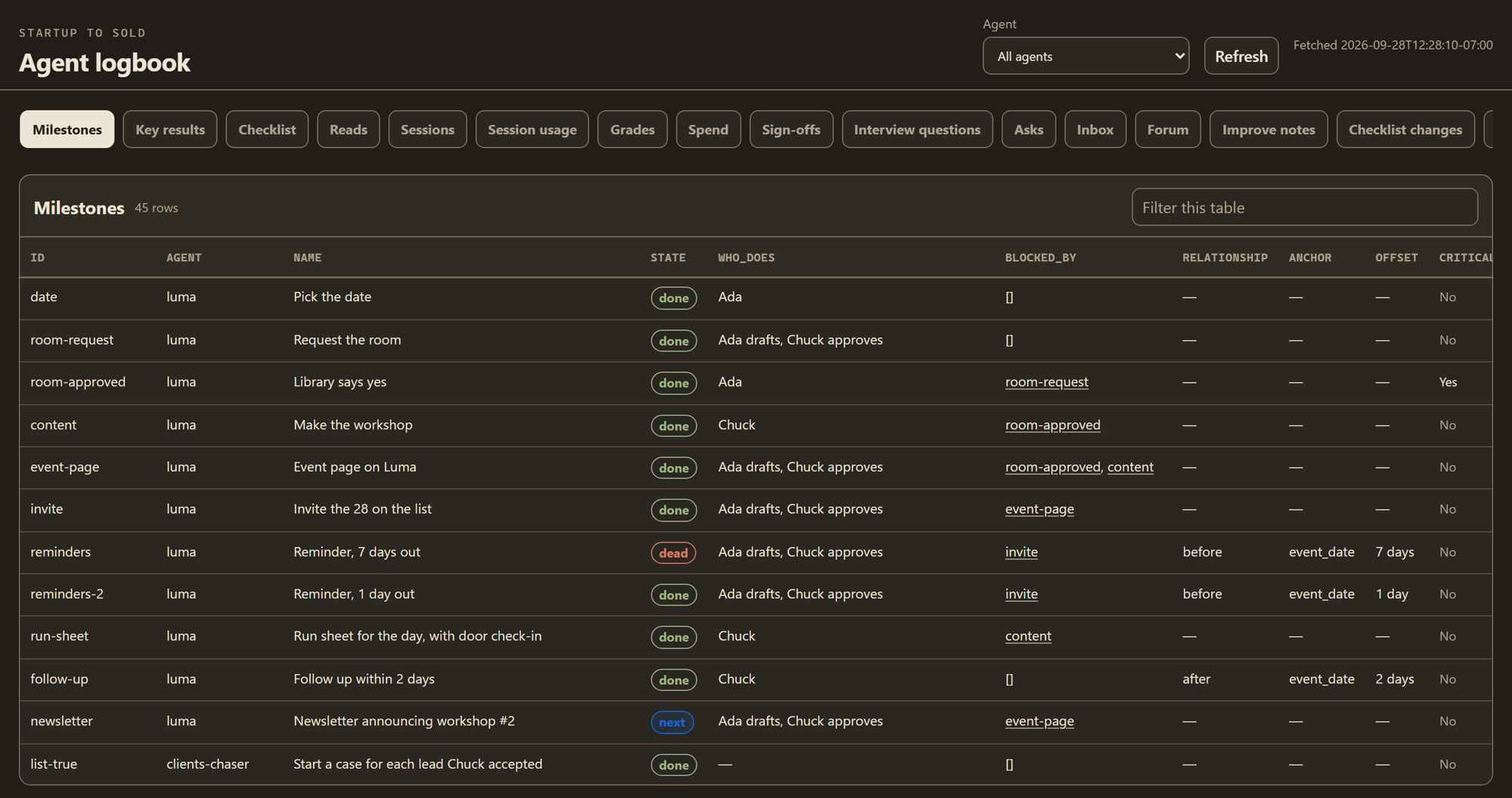 The filing room. Every row the Office is built from, in its raw form.
What happens, step by step
- The owner wants to see why an agent skipped a step last Tuesday. From the agent's ... menu, the owner taps See its record.
- The page opens on that agent's rows. The owner picks the sessions tab.
- The owner sorts by date and finds Tuesday's session.
- A link opens the full conversation from that session in a new tab. It is a plain, read-only copy, not the styled chat.
- The owner spots a plan step marked with the wrong status and changes that one cell.
- The owner taps Save. The page sends one request. The box checks it against a fixed list of allowed edits, then makes the change through the logbook's own code.
What powers it
| Part | What it does |
|---|---|
logbook_page.html | The page. Never cached, so it is always fresh. |
/api/logbook | Reads the tables for the page. |
/api/logbook/transcript/... | Shows one saved conversation as plain read-only text. |
/api/logbook/write | The one way any page can change the logbook. It only allows edits on a fixed list. |
logbook.py | The logbook's own code. Every read and write goes through it. |
logbook.db | The logbook itself, a SQLite database (a single file of tables) on the box. |
Why it works this way
The page never sends raw database commands. Every edit goes through one write path that checks it against a closed list of allowed changes. A page with a bug, or a bad request, cannot reach into the database and do something nobody planned for.
The page is left plain on purpose. It is the "technical view" behind the Office's friendly one. The Office turns the same rows into sentences. This page shows the rows as they really are, which is what you want when something looks wrong and you need to check.
Both pages read the same logbook. When the Office says something that looks odd, the rows behind it are here to check.
Connected to
- The logbook: what the logbook is and what writes to it.
- The Office: the friendly view of the same rows.
- How a project runs: the other records the system keeps.
- Proof it ran: how routine runs get recorded.